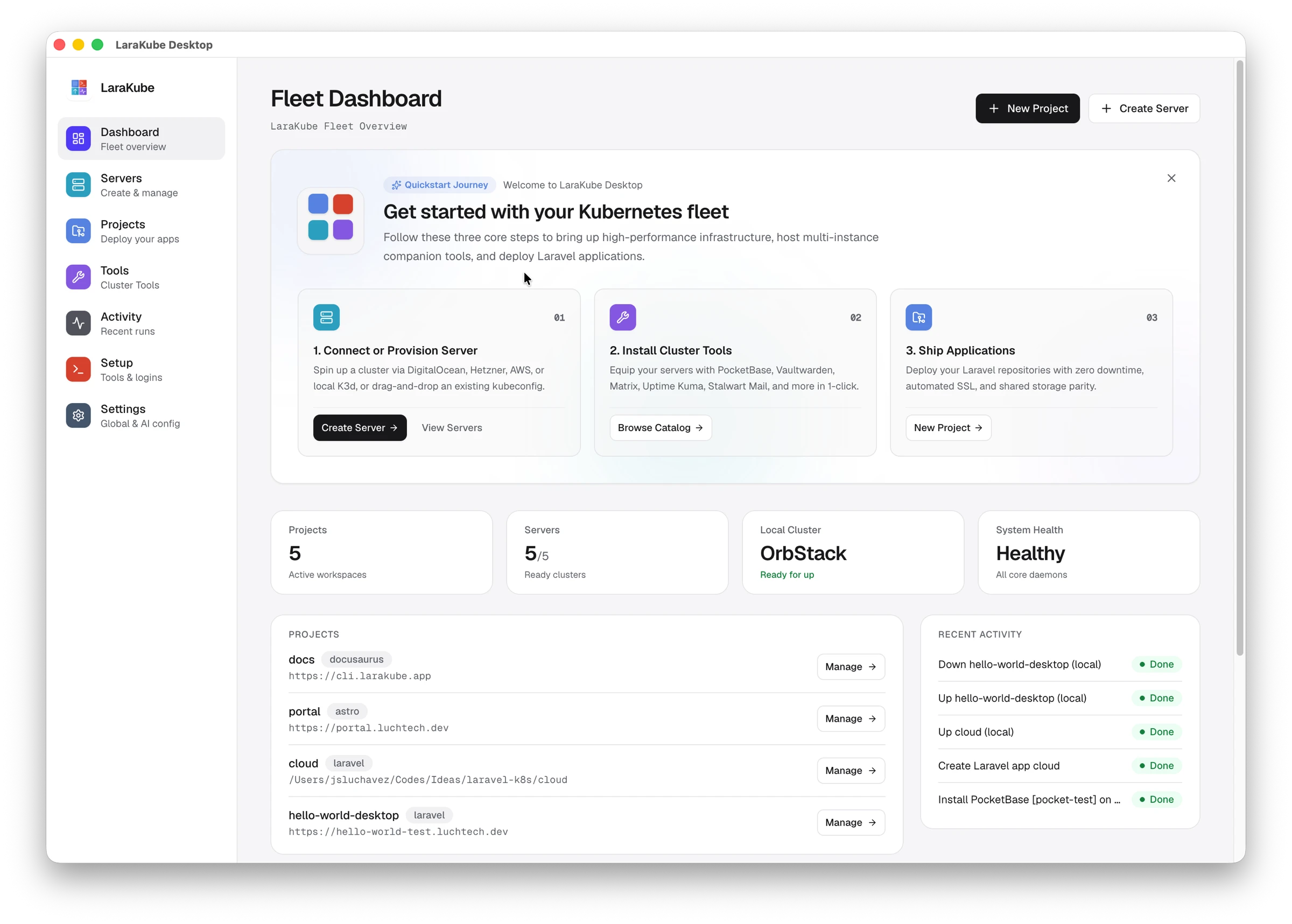
From a laptop to production in four commands
The same blueprint runs on your machine and on your server, so what you test locally is what you deploy.
- 1
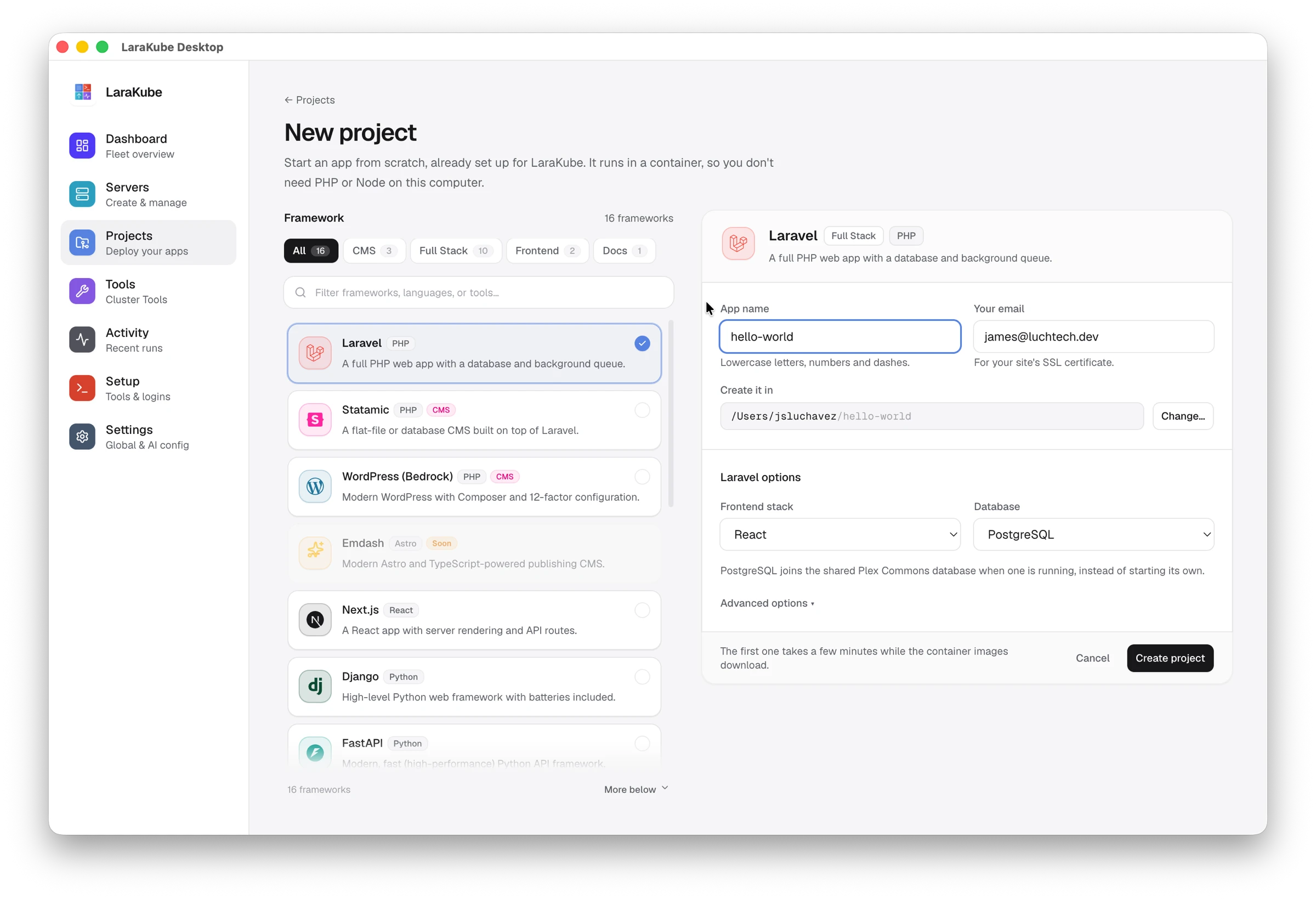
Start locally
Scaffold a project and run it on a local cluster with hot reload.
larakube new - 2
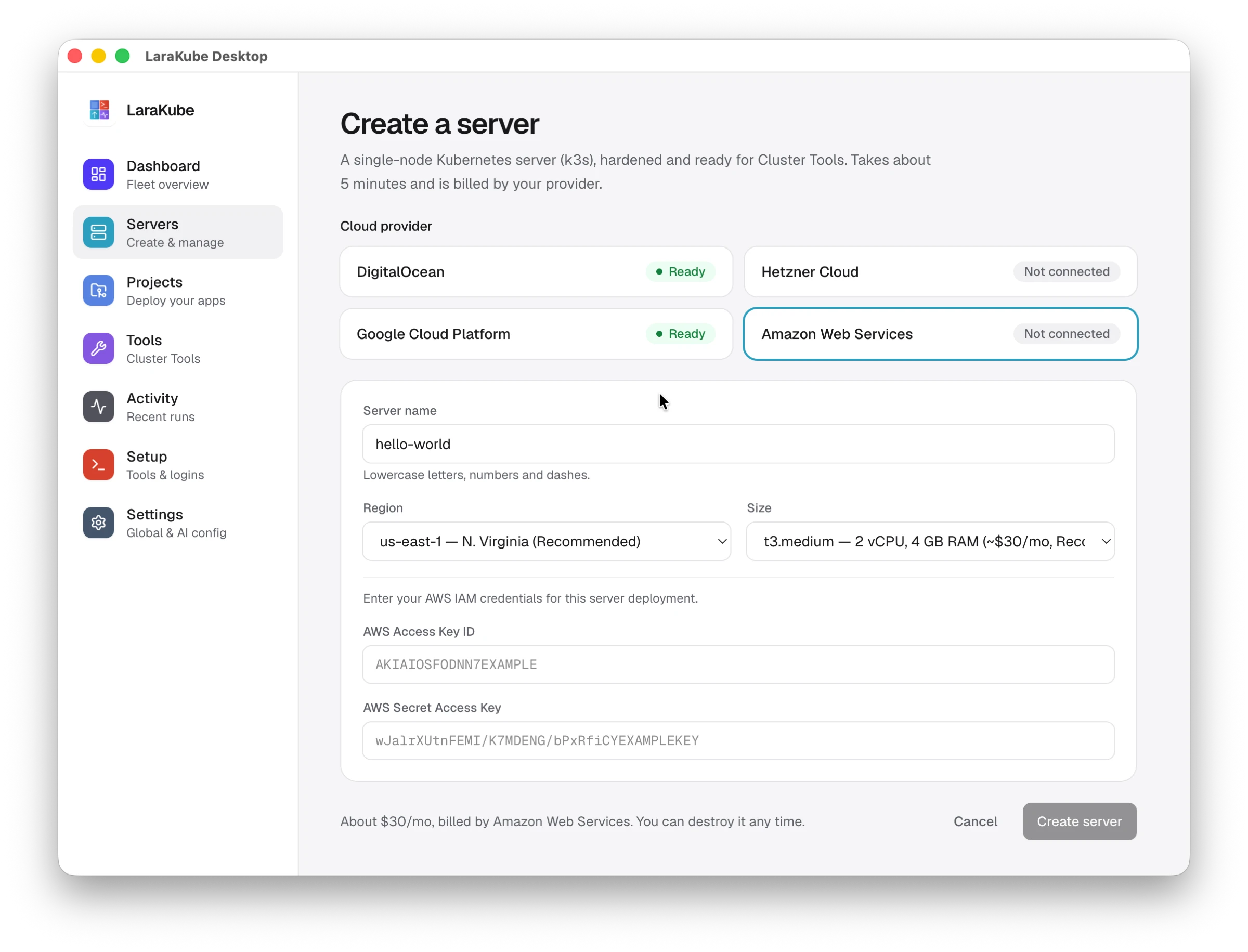
Get a server
Provision and harden a server on the cloud you choose, or bring your own.
cloud:create - 3
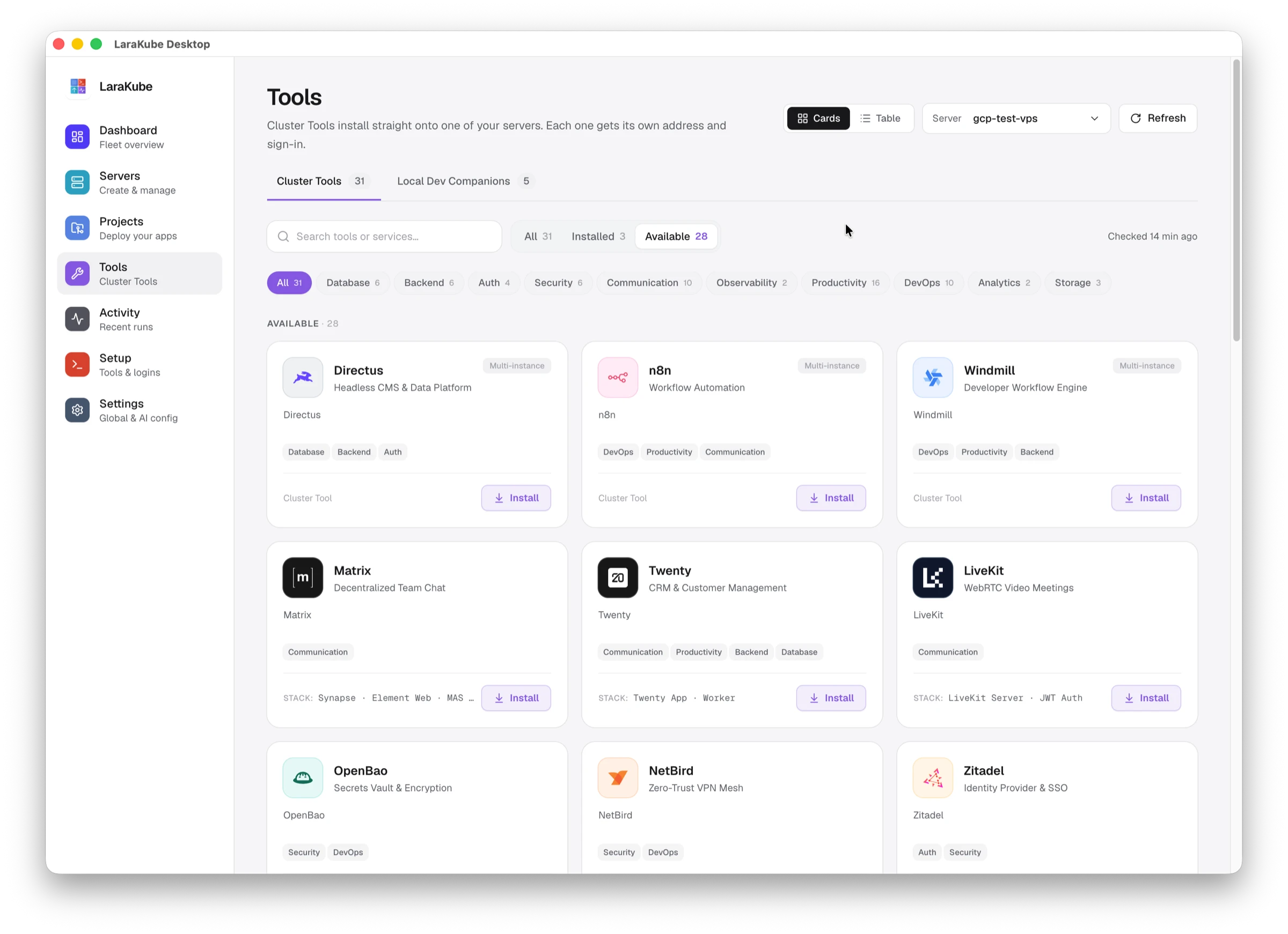
Add your tools
Install chat, a wiki, single sign-on or any of the 30 tools, with HTTPS included.
tool:init --tool=zitadel - 4
Ship it
Build the image, push it and roll it out. CI does the same on every merge.
cloud:deploy
30 tools your team would otherwise rent per seat
Each one is a mature open-source product. One command installs it with single sign-on, a certificate, DNS and backups already wired in.
Talk
Chat, calls and email on your own domain
- Team chatMatrix
tool:init --tool=matrix - Video meetingsLiveKit
tool:init --tool=livekit - Mail serverStalwart
tool:init --tool=stalwart - WebmailBulwark
tool:init --tool=bulwark - Screen recordingSendrec
tool:init --tool=sendrec
Work
Where the team writes, plans and stores files
- WikiOutline
tool:init --tool=outline - Project boardsPlanka
tool:init --tool=planka - File driveoCIS
tool:init --tool=ocis - Spreadsheet databaseTeable
tool:init --tool=teable - DesignPenpot
tool:init --tool=penpot - Resume builderReactive Resume
tool:init --tool=resume
Sell
Customers, contracts and the numbers behind them
- CRMTwenty
tool:init --tool=twenty - Customer supportChatwoot
tool:init --tool=chatwoot - Document signingDocumenso
tool:init --tool=documenso - Short linksKutt
tool:init --tool=kutt - Web analyticsUmami
tool:init --tool=umami - Business intelligenceMetabase
tool:init --tool=metabase
Secure
One login, shared secrets and a private network
- Single sign-onZitadel
tool:init --tool=zitadel - Password managerVaultwarden
tool:init --tool=vaultwarden - Secrets managerOpenBao
tool:init --tool=openbao - Zero-trust VPNNetBird
tool:init --tool=netbird - Secure pasteYopass
tool:init --tool=yopass
Build & run
Ship code and keep it healthy
- Git & CI/CDForgejo
tool:init --tool=forgejo - Error trackingGlitchTip
tool:init --tool=glitchtip - Status pagesUptime Kuma
tool:init --tool=kuma - MonitoringGrafana, Loki, Prometheus
tool:init --tool=grafana - Automationn8n or Windmill
tool:init --tool=n8n - Backend & CMSPocketBase or Directus
tool:init --tool=directus - DNS automationExternalDNS + Cloudflare
tool:init --tool=external-dns - Cluster dashboardHeadlamp
tool:init --tool=headlamp
Every tool follows one shape: larakube <tool>:init <environment>.How Cluster Tools work
Built on open-source projects you may already know
- Matrix
- LiveKit
- Outline
- ownCloud
- Penpot
- Reactive Resume
- Twenty
- Chatwoot
- Umami
- Metabase
- Vaultwarden
- OpenBao
- Forgejo
- Uptime Kuma
- Grafana
- n8n
- PocketBase
- Directus
- and 12 more
Your own apps run beside them
Laravel is where LaraKube CLI started. 7 frameworks deploy all the way to production today, and 8 more can be scaffolded.




 Next.js


 Django


 Axum
Axum

Each app gets its own database, cache, search and object storage, on your laptop and in production.
Database
- PostgreSQL
- MySQL
- MariaDB
- MongoDB
- SQLite
Cache · or your database
- Valkey
- Memcached
Search · or your database
- Meilisearch
- Typesense
Object storage
- SeaweedFS
- MinIO
- Garage
Supported drivers vary by framework. Databases and services
Pick a cloud. Start with one server.
A single hardened server runs everything above. When you outgrow it, move to managed Kubernetes with the same blueprint.
| Provider | Single server (k3s) | Managed Kubernetes |
|---|---|---|
 DigitalOcean DigitalOcean | Droplet | DOKS |
 Hetzner Cloud Hetzner Cloud | Cloud server | Not offered |
 Google Cloud Google Cloud | Compute Engine VM | GKE |
  Amazon Web Services Amazon Web Services | EC2 instance | EKS |
| A server you already have | Any fresh VPS, over SSH | Not offered |
The parts people forget until 2 a.m.
Security, certificates, backups and access control come with the server, not as a weekend project later.
Hardened on day one
UFW firewall, fail2ban and key-only SSH, safe to re-apply any time.
cloud:hardenHTTPS everywhere
Let's Encrypt certificates, renewed through Cloudflare DNS so proxied hosts keep working.
tls:initDNS that follows you
Records are created and cleaned up for every host you deploy.
tool:init --tool=external-dnsOff-site, encrypted backups
Nightly backups to any S3-compatible bucket, with a restore command you can rehearse.
backup:initSnapshots and rollback
Snapshot a volume before a risky change, and roll back if it goes wrong.
snapshot:createScales under load
Pod autoscaling for web and worker processes.
autoscaleScoped team access
Give a teammate their own kubeconfig, scoped to one environment and role.
cluster:grantAir-gapped installs
Bundle images and manifests into one archive for servers with no internet.
bundle:buildWorks with AI agents
Register the MCP server so your coding agent can inspect and operate the project.
mcp:register
Install it and ship something today
Free, open source, and runs on macOS, Linux and Windows through WSL.
Help test what ships next. The canary channel is the tip of develop, rebuilt on every push. It replaces your stable install, so keep it for a spare machine or a project you can afford to break — then tell us what broke.